

 česky
česky
 Slovensky
 Deutsch
 español
 italiano


How GPS Works in Children’s Watches
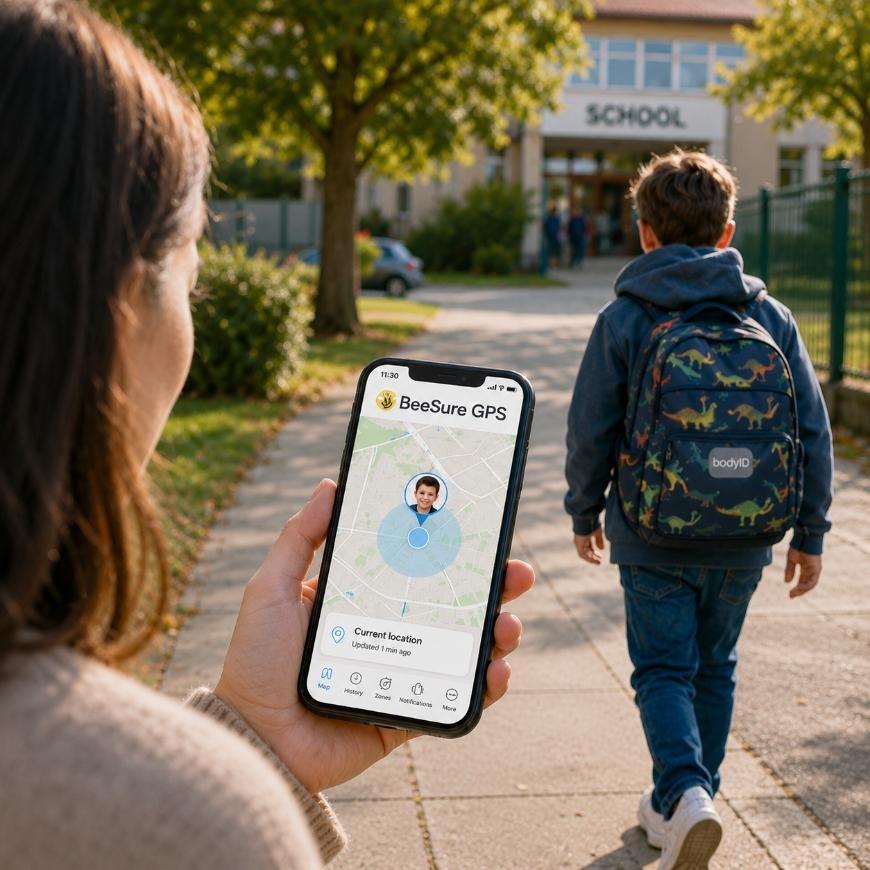
GPS in children’s watches allows parents to track their child’s location approximately and keep an overview of their movement at home and outdoors. The watch uses a combination of GPS, Wi-Fi and the mobile network to determine the location as well as possible based on the environment the child is in. Everything is managed through the BeeSure GPS app, which is also available in English and can be downloaded from Google Play or the Apple App Store.
How children’s GPS watches determine location
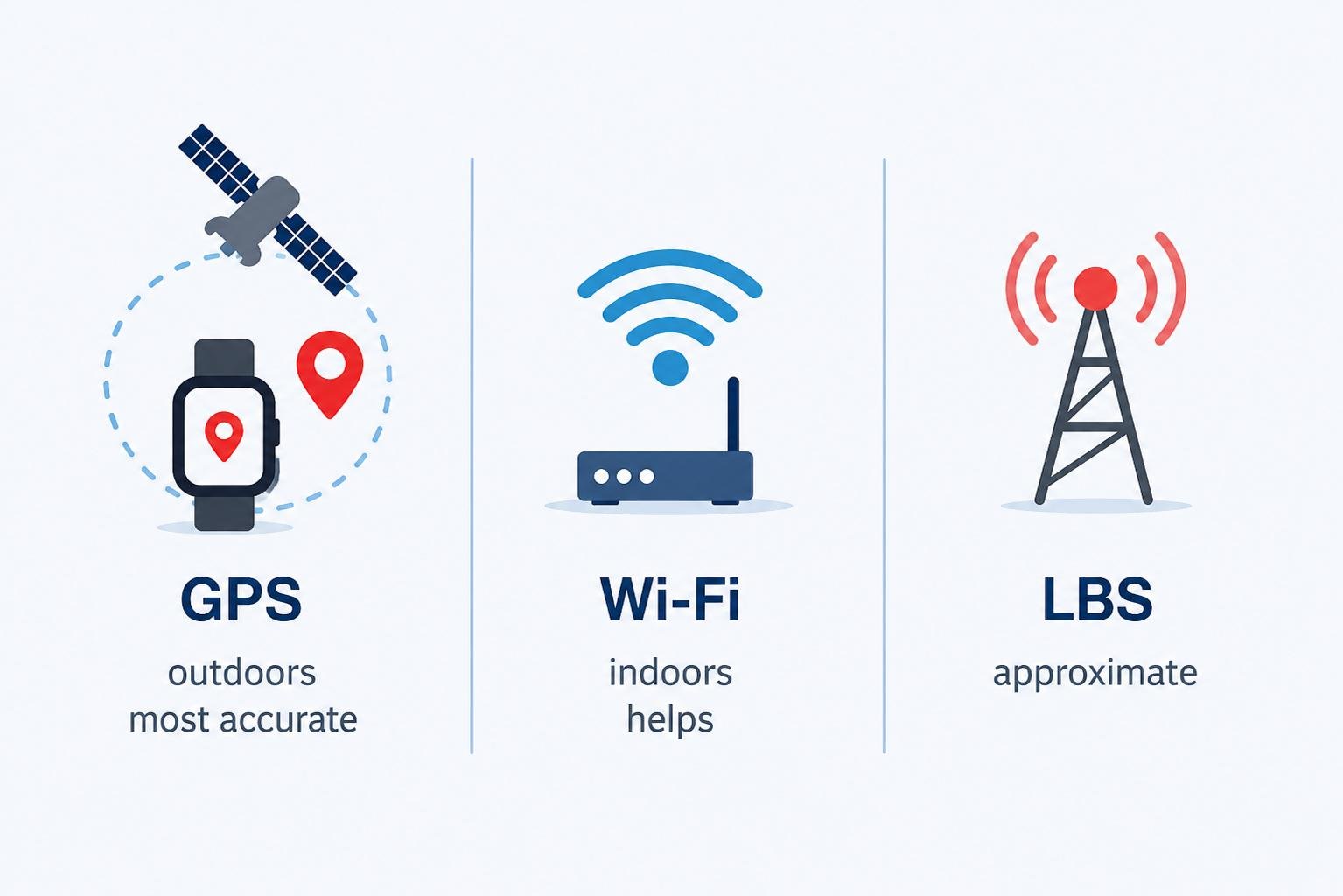
Children’s GPS watches do not use just one technology. To display the location as accurately as possible in different situations, they combine several positioning methods and switch between them depending on conditions. In practice, it is important to remember that accuracy can vary — especially indoors and in places with weaker signal.
GPS – usually most accurate outdoors
GPS (Global Positioning System) works via satellites and is usually the most accurate option in outdoor environments.
- best results in open areas
- suitable for the journey to school, outdoor activities and movement outside buildings
What can reduce accuracy: tall buildings (signal reflection), dense trees, narrow streets, poor weather conditions or a limited view of the sky.
Wi-Fi positioning – can help inside buildings
When GPS signal is not available (for example at school, in a shopping centre or at home), the device may use nearby Wi-Fi networks to estimate the location.
- often helps improve location accuracy indoors
- results can vary depending on Wi-Fi network density and the environment
What can cause deviations: different placement of Wi-Fi access points, weak signal, multiple floors in a building, or situations where there is no usable Wi-Fi nearby.
LBS – approximate location via the mobile network
If neither GPS nor suitable Wi-Fi is available, the device may use LBS (Location Based Service) — approximate location based on the nearest mobile network towers.
- works as a backup method
- accuracy can be significantly worse (hundreds of metres to kilometres)
This is a common reason why the location may “shift” even when the child has not actually moved — the device is simply working with a less accurate source.
Why children’s GPS watches support 4G/LTE
4G/LTE mainly helps the device send data to the app faster and more reliably (location, alerts, communication). If 4G is not available, the device may switch to 3G or 2G.
However, it is important to understand that a faster network alone does not guarantee perfect location accuracy — accuracy still depends on whether GPS/Wi-Fi is available and what the conditions are like in that location.
How often location updates in BeeSure GPS
In the BeeSure GPS app, you can see the device’s location on the map (real-time tracking) and usually also information about when the location was last updated. With some devices, it is possible to refresh the location manually directly from the map in the app.
Why the location can sometimes be inaccurate (and what to do)
With children’s watches, it is important to treat location as approximate. The most common reasons for deviations are:
- the child is inside a building (school, flat, shopping centre)
- weak GPS signal / limited view of the sky
- dense urban areas and signal reflections
- the device switches to a less accurate method (e.g. LBS)
- temporarily weak mobile network coverage (data)
What usually helps: check when the location was last updated and, if the model supports it, try manually refreshing the location. In practice, it can also help to wait until the child is outdoors — GPS often becomes more accurate after a short while in an open area.
Is location tracking safe?
Yes. Only authorised people with access to the app can see the child’s location. Data is transmitted via the mobile network and the app acts as a secure interface between the parent and the device.
BodyID children’s GPS watches also include an engraved identification tag with contact details, which helps identify the child if they ever find themselves without supervision.
When children’s GPS watches make the most sense
- the journey to and from school
- spending time outside with friends
- clubs and sports activities
- trips and camps
- being looked after by grandparents
FAQ
Accuracy depends on the environment. Outdoors, GPS is usually the most accurate. Inside buildings, Wi-Fi may help, and LBS is used as a backup method, but it is only approximate.
The watch can determine its location using GPS / Wi-Fi / LBS, but for the location to appear in the BeeSure GPS app, the device must send it — usually via mobile data (SIM card). Without a connection, the location will not update in the app and the device may appear offline.
BeeSure GPS offers the “Historical route” feature, which shows the device’s previous movement.
In BeeSure GPS, you can set up to 3 safety zones (geo-fences). When the device leaves a zone, you usually receive an alert.
First, check when the location was last updated and whether the watch is online (active SIM and data). If the model supports it, try manually refreshing the location in the app. Accuracy often improves when the child is outdoors in an open area (GPS signal).
Most often, this happens because the device is currently using a less accurate positioning method (typically LBS), or because the indoor environment/signal changes (buildings, floors, signal reflections). The location can then “shift” even without real movement.
It depends on the specific model and app version. Some devices show the positioning type in the app (GPS/Wi-Fi/LBS). If your model does not show it, use the environment as a guide: outdoors is typically GPS, while indoors it is often Wi-Fi/LBS.
Yes. Inside buildings, GPS signal can be weak or completely unavailable. In that case, the location is more likely to be determined using Wi-Fi or LBS, which may be less accurate.
When the watch is switched off or has no power, it does not send location to the app and the device may appear offline. We recommend monitoring the battery level and setting a charging routine, for example every evening.
Generally, yes. More frequent updates and more frequent data transfer mean higher battery consumption. If you do not need detailed tracking, it is usually better to use a more power-saving mode and check the location only when needed.
Not necessarily. Wi-Fi can help with accuracy inside buildings, but the basic transfer of location to the app usually runs via mobile data on the SIM card.
It depends on access settings and sharing. With these devices, it is common for multiple family members to have access, but the exact way of adding additional users may differ depending on the model and BeeSure GPS settings.
This is often caused by fluctuating location accuracy, especially inside buildings. If the device is currently using LBS or the signal gets worse, the location can shift and the alert may trigger near the edge of the zone.
Not always. Mobile phones usually have larger antennas and more sensors, so they may be more accurate in some conditions. With watches, it is best to treat the location as approximate and expect larger deviations inside buildings.
Parents usually choose a simple plan with mobile data (a small amount is often enough) and calling according to their needs. Data usage depends on how often the location updates and which features are used (communication, alerts, etc.).